

Not sure whether to use a 301 or 302 redirects? Choosing the wrong redirect can confuse search engines, frustrate visitors, and weaken the SEO value of an important page.
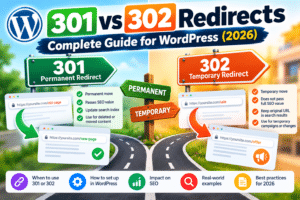
In this complete WordPress guide, you’ll learn the difference between 301 and 302 redirects, when to use each one, how to avoid redirect mistakes, and how to create redirect rules without coding. Use our free Redirect Rules Builder to generate redirect rules quickly.
📋 Table of Contents
What Is a Redirect?
A redirect automatically sends a visitor and search engine crawler from one URL to another. It is essential when a page has moved, its URL changes, a website migrates, or you need to send visitors to an alternative page temporarily.
Example
A visitor requests this old URL:
https://yoursite.com/old-seo-guide/
Your server redirects them automatically to:
https://yoursite.com/seo-guide/
The visitor reaches the right resource, and search engines receive a clear signal about what happened to the old page.
301 vs 302 Redirects: Key Differences
The main difference is simple: a 301 redirect means a page moved permanently, while a 302 redirect means the move is temporary. Google recommends permanent redirects for permanent moves and temporary redirects when the original URL will return.
| Feature | 301 Redirect | 302 Redirect |
|---|---|---|
| Meaning | Moved permanently | Found / moved temporarily |
| Use when | The old URL will never return | The original URL will return later |
| Google’s likely result | New URL may replace old URL in results | Old URL is more likely to remain indexed |
| Best for SEO migrations | Yes | No, unless the migration is temporary |
| Typical example | Changing a permanent post URL | A/B testing a temporary landing page |
⚠️ The Simple Rule
If the change is permanent, use a 301 redirect. If the change is temporary and you intend to restore the original URL, use a 302 redirect.
When to Use a 301 Redirect
A 301 redirect tells browsers and search engines that a resource has permanently moved. It is the default choice for most URL changes because it gives search engines a clear permanent-move signal.
✅ Use a 301 Redirect When:
- You permanently change a page or post URL
- You delete a page and have a closely related replacement page
- You merge two similar pages into one stronger page
- You move your website to a new domain
- You switch from HTTP to HTTPS
- You standardize www and non-www versions of your domain
- You restructure an old WordPress permalink
Example: Changing a Published URL
Old URL:
/the-complete-guide-to-writing-seo-friendly-urls-in-wordpress/
New URL:
/how-to-write-seo-friendly-urls/
Create a 301 redirect from the old URL to the new one. This protects visitors from landing on a 404 page and gives Google a permanent signal about the move. For URL planning before publishing, use our guide on how to write SEO-friendly URLs.
When to Use a 302 Redirect
A 302 redirect signals that a page is temporarily available somewhere else. Use it when the original URL is expected to return and should remain the primary URL in Google’s understanding of your site.
✅ Use a 302 Redirect When:
- You are running a temporary promotion or seasonal campaign
- A page is being updated and will return soon
- You are testing a new landing page or design
- You temporarily reroute users during maintenance
- A product is temporarily unavailable but will return
- You are running an A/B test that requires a temporary destination
Example: A Seasonal Promotion
Suppose your normal product page is temporarily replaced by a Black Friday offer:
/wordpress-backup-plugin/
↓ temporary 302 redirect ↓
/black-friday-backup-offer/
Once the campaign ends, remove the redirect and restore the original page. A 302 is appropriate because the original URL is still the long-term destination.
How to Create Redirects in WordPress
There are several safe ways to create redirects in WordPress. For most users, a redirect plugin, Yoast SEO Premium, or a hosting dashboard is safer than editing server files directly.
Method 1: Use the Redirect Rules Builder
For `.htaccess`, Nginx, or bulk redirect rules, use the free Redirect Rules Builder. It helps you generate clean redirect rules without manually writing server syntax.
✅ Steps:
- Open the Redirect Rules Builder
- Enter the old URL path
- Enter the destination URL
- Choose 301 for permanent moves or 302 for temporary moves
- Copy the generated rule
- Add it to the correct server, hosting, or redirect-plugin location
- Test the old URL in an incognito browser window
Method 2: Use Yoast SEO Premium
Yoast SEO Premium includes a Redirect Manager. You can add an old URL, choose a redirect type, enter the new destination, and save the rule directly from your WordPress dashboard.
✅ Basic Steps:
- Go to Yoast SEO → Redirects
- Enter the old URL path
- Enter the new destination URL
- Choose 301 Moved Permanently or 302 Found
- Save the redirect and test it
Method 3: Use a Free WordPress Redirect Plugin
If you use the free version of Yoast, install a trusted redirect plugin such as Redirection. It lets you create and monitor redirects without editing files.
✅ Use a Plugin When:
- You do not want to edit `.htaccess` or Nginx configuration files
- You need redirect logs or 404 error monitoring
- You need to manage redirects from the WordPress dashboard
- You plan to create redirects regularly
Common Redirect Mistakes to Avoid
1. Redirecting Every Deleted Page to the Homepage
Do not send every missing or deleted URL to your homepage. Redirect only when there is a close, useful replacement. If no relevant replacement exists, return a real 404 or 410 page instead.
2. Using 302 Redirects for Permanent Moves
A 302 tells Google the original page may return. If a move is permanent, use a 301 so Google can understand which page should become the long-term search result.
3. Creating Redirect Chains
A redirect chain happens when an old URL redirects to an intermediate URL, which redirects again:
/old-page/ → /new-page/ → /final-page/
Fix this by redirecting the original URL directly to the final destination:
/old-page/ → /final-page/
4. Redirecting to an Irrelevant Page
A redirect should solve the visitor’s problem. Redirect a deleted article about robots.txt to a relevant robots.txt guide, not to a generic unrelated page.
5. Forgetting to Update Internal Links
Redirects protect existing external links, but your own internal links should point directly to the final live URL. Review menus, blog posts, category pages, and tool CTAs after making URL changes.
How to Test Redirects
Never assume a redirect works just because you created it. Test every important redirect immediately after publishing.
✅ Redirect Testing Checklist:
- Open the old URL in an incognito/private browser window
- Confirm it reaches the intended final URL
- Confirm the redirect uses the correct code: 301 or 302
- Check that no redirect chain or loop occurs
- Update old internal links to point to the final URL directly
- Monitor Google Search Console for crawl issues and 404 reports
301 vs 302 Redirect FAQ
Frequently Asked Questions
Q: Does a 301 redirect pass SEO value?
A: A 301 is Google’s recommended permanent redirect type for permanent URL moves. It gives Google a strong signal to process the new destination as the long-term replacement.
Q: Will a 302 redirect hurt SEO?
A: Not when it is truly temporary. It becomes a problem when you use it for a permanent move because it sends mixed signals about which URL should rank long term.
Q: How long should I keep a 301 redirect?
A: Keep permanent redirects in place for at least one year; for important URLs with backlinks or ongoing traffic, keeping them indefinitely is usually safer.
Q: Should I redirect old pages to the homepage?
A: Only if the homepage is genuinely the most relevant destination, which is uncommon. Prefer a closely related page, or return a 404/410 response when no relevant replacement exists.
Q: How do I create redirects with free Yoast SEO?
A: Yoast’s Redirect Manager is a Premium feature. With free Yoast, use a dedicated redirect plugin, your host’s redirect manager, or server rules generated by our Redirect Rules Builder.
Final Redirect Checklist
- Use a 301 when a move is permanent
- Use a 302 only when the original URL will return
- Redirect each old URL to the closest relevant replacement
- Avoid redirect chains, loops, and blanket homepage redirects
- Update internal links to use the new final URL directly
- Test every redirect after creating it
- Use the Redirect Rules Builder to build clean redirect rules
Redirects are a small technical task with a major effect on user experience and SEO. Choose the correct status code, send people to a relevant final destination, and keep your redirect structure clean.
🚀 Related SEO Resources
Enjoy this post?